
Battery draining fast? It’s not just bad luck. From the “20-80 Rule” to the 5G toggle, here are the 5 science-backed ways to keep your phone running for years.
Tips to Extend Smartphone Battery Life (The 3-Year Plan)
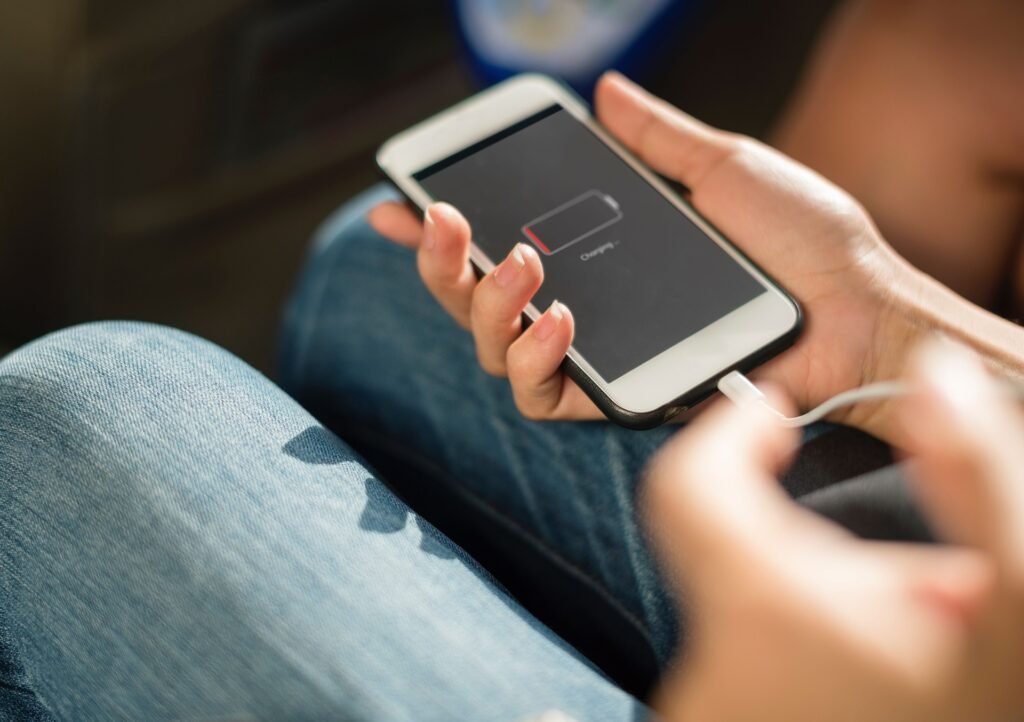
Fifteen percent—that’s when fear takes hold.
A red glow appears on the display. Light fades from the screen without warning. Far from any outlet, the battery ticks down—each second sharper than the last. Fourteen becomes thirteen before you blink. Thirteen slips to twelve just as fast.
App usage halts, sudden and total. Brightness drops so low it feels like squinting through fog. Every mile matters now. Hope narrows to one thing: making it long enough for the ride to arrive.
Imagine batteries as if they’ll last forever. Truth is, there’s no spell at work here. Just science. Hidden beneath the smooth screen of your device sits a mix of unstable chemicals. Plug it in until it hits full, or drain it completely, and tiny parts wear down. That strain takes a toll. Each cycle pushes its lifespan shorter.
At BinarySpur, we don’t believe in upgrading every year. We believe in engineering your device to last.
Why does phone battery health decline? Lithium-ion batteries degrade over time due to chemical aging. High heat and extreme voltage stress (charging to 100% or draining to 0%) cause the internal ions to lose their ability to hold a charge. This “cycle wear” is why a two-year-old phone dies faster than a new one.
Quick Summary: The 5 Rules of Battery Health
The 20-80 Rule: Never fully fill or fully empty the tank.
Heat is the Enemy: Charging while hot kills chemistry instantly.
The 5G Vampire: Turn off 5G Auto to save massive power.
Dark Mode: Black pixels use zero energy on OLED screens.
The Refresh Trap: Stop apps from updating silently in your pocket.
1. The “20-80” Rule (Chemistry 101)
Charging overnight? That long stretch at full power wears down your battery fast. Eight hours stuck at maximum strains the cells more than you’d think.
Think of a battery like a sponge.
-
Dry (0%): A sudden lack of moisture brings tension. When solid without give, pressure builds up.
-
Soaked (100%): Waterlogged and pressed hard—that’s when the force shows up.
-
Damp (50%): A bit of moisture makes a sponge feel most alive.
The Fix: Charge only up to 80 percent whenever possible. Staying in this range means less stress on the power cell. Look for a feature named Optimized Battery Charging (iPhone) or Protect Battery (Samsung). These options pause charging before reaching full. Using them helps maintain longer lifespan.
2. The “Heat” Factor (The Silent Killer)
Suddenly, there’s heat building up inside the device. Left sitting under bright sunlight on the dashboard, warmth starts gathering slowly. A power-hungry game runs while connected to rapid charging. Temperature climbs without notice.
The Fix: Faster damage happens when things get too warm. Above 95°F (35°C), the cells begin to wear out for good. What breaks inside stays broken—no fixing it later.
-
Avoid charging your device beneath a pillow.
-
When the surface warms up, removing the case helps cool things down.
3. The “5G” Vampire
A speed like that? Useful, sure—but opening messages or browsing posts doesn’t need it. Your device burns through battery faster when locked onto 5G signals. That chip keeps hunting, trying to grab a tower riding those sky-high frequencies—even if none exist close by.
The Fix: Start by opening your phone’s settings. Head into the Cellular menu, then pick Cellular Data Options. Change Voice & Data to LTE (sometimes labeled 4G). Save 5G for moments like grabbing a full film quickly. Most daily tasks run fine on LTE anyway. That older network uses less power, roughly one-fifth less than 5G.
4. The “Dark Mode” Physics
Think your phone uses OLED? Chances are it does—especially if it’s an iPhone X or later. Here’s what happens on that display: black doesn’t glow at all. Instead, each black dot shuts down entirely.
Picture this: a blank screen, bright as daylight. Every tiny dot glows full force—that is three million little lights working hard. Switch to Dark Mode, and most of those dots go completely off. Not dimmed. Gone. No power needed where there is nothing to show.
The Fix: Flip that switch system-wide. Light eats juice; darkness hoards it.
5. The “Refresh” Trap (Background Apps)
Your phone sits still, tucked away. Not really sleeping though. Facebook tweaks what you see. Meanwhile, email scans incoming junk. The weather app reaches out to space. That constant quiet activity? It goes by Background App Refresh.
The Fix: Start by opening your phone’s settings menu. Jump into General next. Find Background App Refresh.
-
Switch it OFF for most apps right away (Social Media, Games).
-
Keep Maps and Email running.
-
Those other apps will check for updates only once you launch them. Not whenever they feel like it.

Final Thoughts: It’s a Tool, Not a Pet
Fewer worries about tiny drops in performance matter little. A battery wears down like any used part. Still, obeying basic chemistry helps stretch life—think three or four full years past the usual two. Money stays in your pocket. Less trash piles up where it shouldn’t.
Frequently Asked Questions
Is it better to close every app to save battery?
Wrong. That idea is totally false. Today’s phones—both iPhone and Android—lose energy when apps are shut manually. Restarting an app means the system must load everything again, pushing the processor harder. Just let them sit, paused behind the scenes.
Is fast charging bad for my phone?
Heat from quick charging harms batteries, not the speed itself. When your device gets very warm during fast charging, that warmth causes long-term damage. Overnight, pick a regular charger—like 5W or 12W—to keep things cool. Save high-speed charging only when you really need it.
Does Airplane Mode charge phones faster?
Sure. Turning on Airplane Mode cuts the signal for cell service, Wi-Fi, and Bluetooth. That stops the parts using most of the battery. Without those running, less power gets used. The charger can fill the battery faster because of it—roughly 10 to 15 percent quicker.
Have Any Question? Feel Free To Ask: