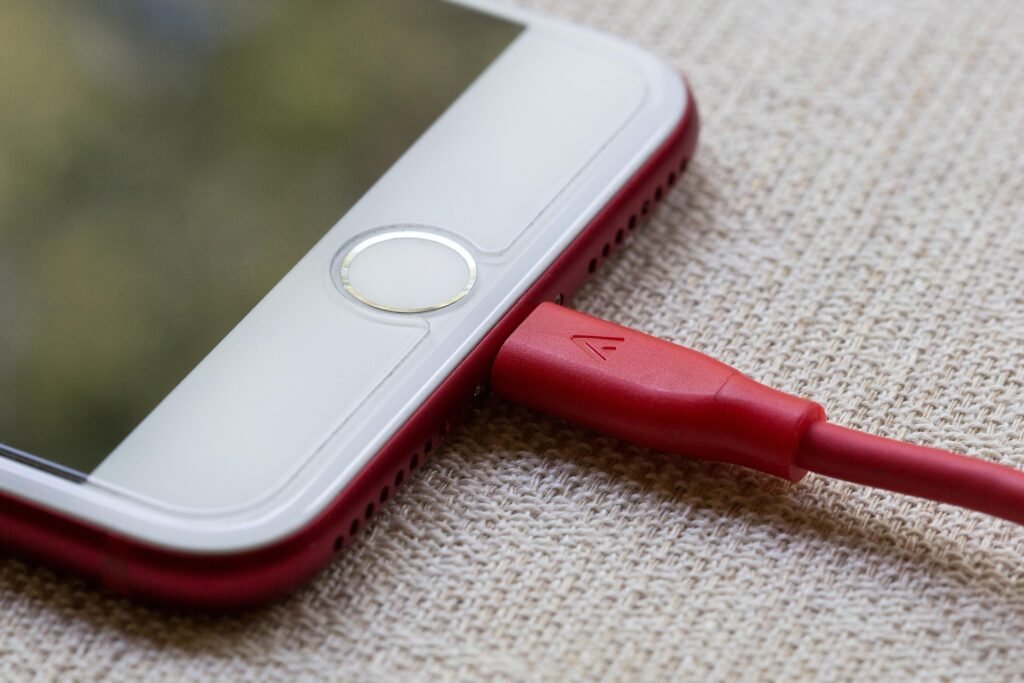
Plugged in but the battery is stuck? Don’t panic. From the “Toothpick Trick” to force restarts, here are the 5 proven ways to fix a phone that won’t charge.
Phone Not Charging? Common Fixes (Before You Buy a New One)
A stroke today plays the role once known only to cardiac arrests.
A small light blinks—just two percent left. The charger clicks into place before bed. Morning arrives with quiet dread. Instead of full power, nothing stirs on the display. A sliver of red glows, cold and still.
Fear grabs hold. Wiggling the cord comes next. The port gets a blast of air. Up pops a search—new iPhone cost—typed fast on the computer.
Stop.
Most times, a phone acts up for no real reason. Sometimes it just needs a clean or a little reset. Over at BinarySpur, fixing gadgets means giving them another chance—never tossing what still works. If yours feels off, do the Port Protocol first before making that trip.
Why is my phone not charging? A phone usually stops charging for three reasons: compacted pocket lint is blocking the connection, the charging cable has internal damage (even if it looks fine), or the software has crashed (“handshake failure”) and refuses to acknowledge the power source.
Quick Summary: The 5-Step Rescue Plan
The Toothpick Trick: Removing compacted lint (the #1 cause).
The Cable Swap: Testing the wire, not the phone.
Force Restart: Rebooting the software brain.
The Wireless Hack: Bypassing a broken port entirely.
Moisture Check: Handling the “Liquid Detected” warning.
Fix 1: The “Toothpick Trick” (Clean the Charging Port)
Here’s why fifty percent of charging ports stop working properly. Stuff builds up each time the phone goes into a pocket. Lint, tiny dirt bits, even food fragments get forced inside during that move.
Over days, pressure compacts them deep within the slot. The plug seems to fit because it locks in place. Yet underneath, the actual connection between metals fails completely.
The Fix:
-
Light it up: Start by locating a source of strong illumination.
-
Pick your tool: A small stick made of wood works fine; plastic picks from the dentist do too. Metal needles? Those can wait. Using one might connect things it should not.
-
Scrape gently: Start by lightly scraping inside the port. What emerges might surprise you—gray fuzz, more than expected.
-
Test: Power up. If that firm click sounds right, things work again.
Fix 2: The Cable Reality Check
A single tug can be enough to break what’s hidden within. Outside, a cable might seem perfect—bright, smooth—but that tells nothing about the tiny copper strands curled inside. Sometimes they’re already cut, just waiting to stop working.
Look at the power brick too—the part you plug into the wall. Its job matters just as much.
The Fix: Stop wondering. Try different gear instead. Grab a cord and charger that run fine on something else (like one of the gadgets from our EDC guide). A working new cable means the problem wasn’t your phone. Toss the faulty one right away—using it again could just cause more hassle.
Fix 3: The “Handshake” Reset (Force Restart)
Plugged in doesn’t always mean charging. Inside, your phone talks to the charger using invisible rules. This chat decides how fast energy flows. If the conversation breaks silently, nothing happens. Connection stays, yet the process halts. Power waits, unused, while logic stumbles behind closed circuits.
The Fix: Try this instead: hold down the buttons until the screen shuts off completely. This isn’t like a regular restart—it pushes through when things stick.
-
iPhone: Tap Volume Up. Tap Volume Down. Then, press and hold the Side Button. Wait until the Apple shape shows.
-
Android: A sudden press of Power along with Volume Down—keep it held ten to fifteen seconds. The system restarts its power management chip after that pause.
Fix 4: The Wireless “Backdoor”
Suppose you wiped the port, tried a new cable—still nothing. Could be the port itself is damaged. Is the phone doomed then? Not at all.
The Fix: Start by setting it down on a Qi charging pad. That method runs through a separate coil built into the rear. When the base connector fails, this part often stays functional. Powering up like this gives time to save pictures prior to fixing it.
Fix 5: The “Liquid Detected” Warning
When the message “Liquid Detected in Connector” shows up, leave things be. For goodness sake, skip the rice trick—it’s nonsense. That grain leaves dusty residue behind, sneaks inside your device, then hardens like paste.
The Fix: Start by placing the phone onto a flat surface where air moves freely—close to a fan works well. Wait two or three hours without touching it. Airflow does better drying than grains ever manage. Over time, moisture slips out on its own.
-
Final Thoughts: It’s Usually the Lint
A tiny clump of lint—no bigger than a speck—stopped one person’s device cold. Some folks show up willing to pay big money, thinking the problem is serious. Out comes that little fuzzball, and suddenly the fix seems almost silly.
The tech didn’t need fancy tools, just sharp eyes. Money saved without swapping a single part. Fresh start every time—inspect the port. No cost involved, just a quick look that often solves it outright.
Frequently Asked Questions
Can I use a needle to clean the port?
Forget metal—things like needles or paperclips have no place near that port. Electricity flows through them too easily, risking a sudden surge across those tiny golden contacts. That spark could kill the main circuit board for good. Wood works better. So does plastic.
Why do I have to wiggle the charger?
Wiggling the cable often points to damaged retention clips inside the port. Lint buildup might also block proper contact. Start by clearing out any debris gently. Should that not fix it, the whole port could be unstable and need replacement.
Does fast charging damage the battery?
Few people realize this, yet most modern devices manage temperature on their own. Because of built-in circuitry, overheating rarely becomes an issue. Still, pushing power quickly into the battery creates extra warmth. Over time, that warmth may wear down capacity a bit sooner, but nothing fails suddenly.
Have Any Question? Feel Free To Ask: